
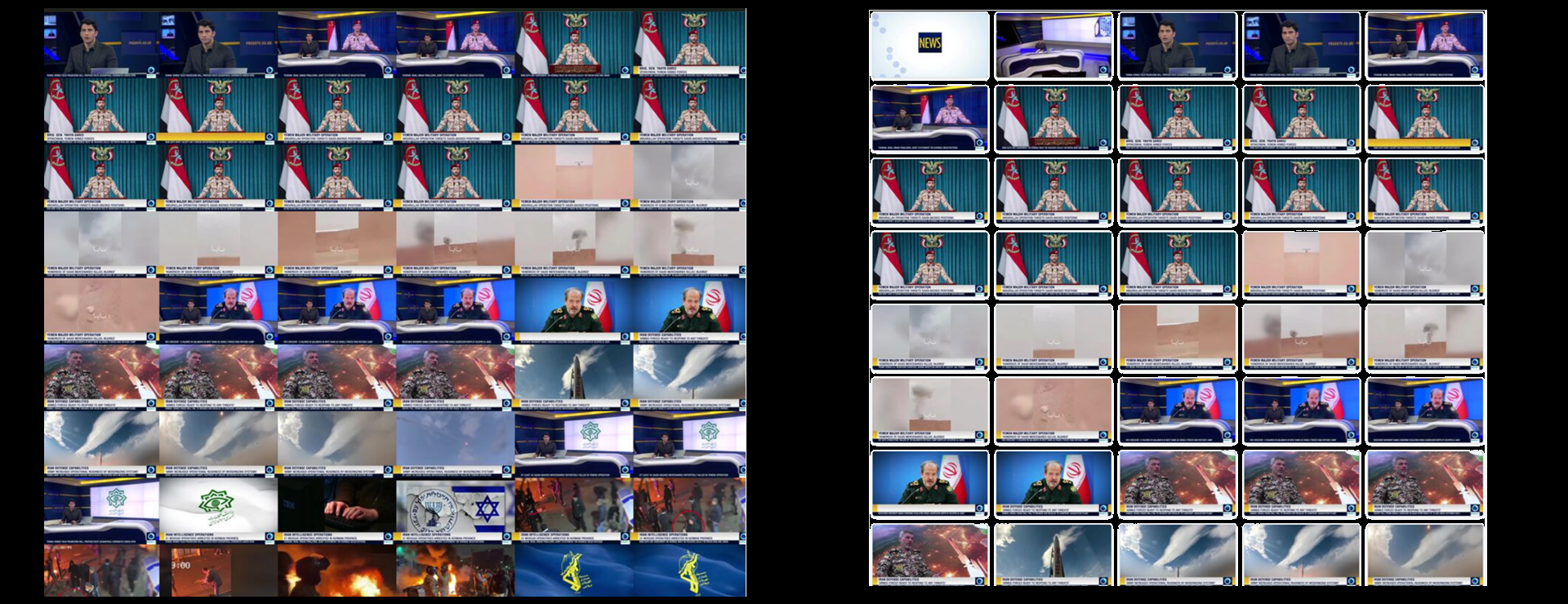
As we continue our work to relaunch the Television News Explorer and redesign the Visual Explorer, we've been looking at ways to redesign the Visual Explorer's powerful thumbnail grid. The every-four-seconds thumbnail grid is at the center of how journalists and scholars are able to use the Visual Explorer to rapidly skim a given news broadcast to assess its coverage or to locate specific points of interest. The large number of thumbnails per page mean that the images cannot be feasibly loaded as individual JPEG images, which would overwhelm both browser and server with thousands upon thousands of individual resource requests and memory management and thus the Visual Explorer renders the thumbnail grid for each broadcast as a fixed static JPEG or PNG montage of the individual thumbnails. This allows the pages to load extremely fast, but has the downside that the page is not mobile friendly and cannot dynamically adapt as the user adjusts the size of their browser window. Visually, the fixed borderless grid is not the most design-forward either.
Here we use Gemini 3.6 Flash to vibe code in a matter of seconds an experimental new interface to the thumbnail grid that loads the montage JPEG grid and dynamically decomposes it into its component thumbnails, loads them back into the page's HTML as individual thumbnail images and then wraps the entire results in a fully dynamic responsive mobile-friendly thumbnail grid interface that even wraps each thumbnail in a rounded border as a demonstration! These incredibly strong results suggest we should be able to dramatically improve the Visual Explorer interface experience in our redesign!
The prompt we used:
The image https://data.gdeltproject.org/gdeltv3/iatv/visualexplorer/PRESSTV_20260806_160000.jpg is a grid of thumbnails that are each 160 pixels wide and 90 pixels high. There are 6 thumbnails to a row and as many rows as needed. There are no borders between them.
Write me a simple but robust HTML page with JavaScript that loads the image, breaks it into individual thumbnail images and displays them in a responsive grid on the page with a simple border around each and they reflow as the page resizes.
Explore for yourself the current Visual Explorer interface and this sample Gemini 3.6 Flash vibe-coded experimental interface below: