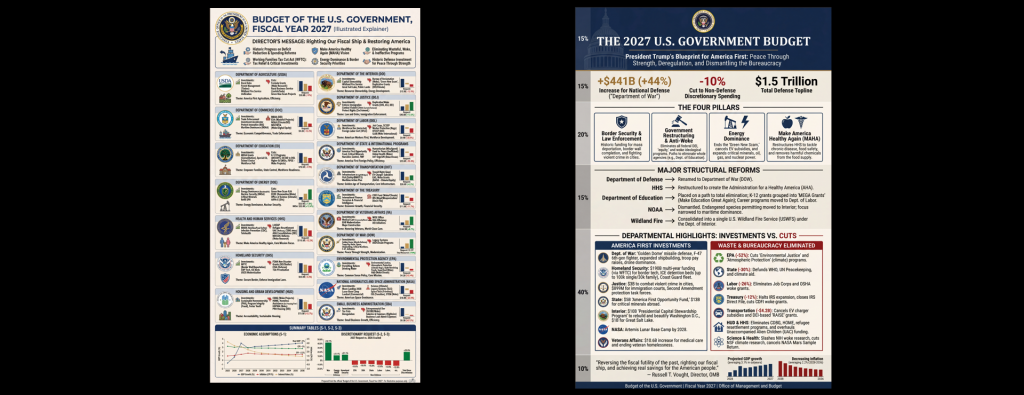
Earlier today we visualized the 2027 White House Budget Proposal as an infographic using Gemini 3 and Nano Banana. Instead of visualizing the entire budget report, what would it look like to visualize only the portions of the budgetary proposal relating to DHS and its component agencies? What would it look like to compare the 2026 and 2027 budgets through several approaches?
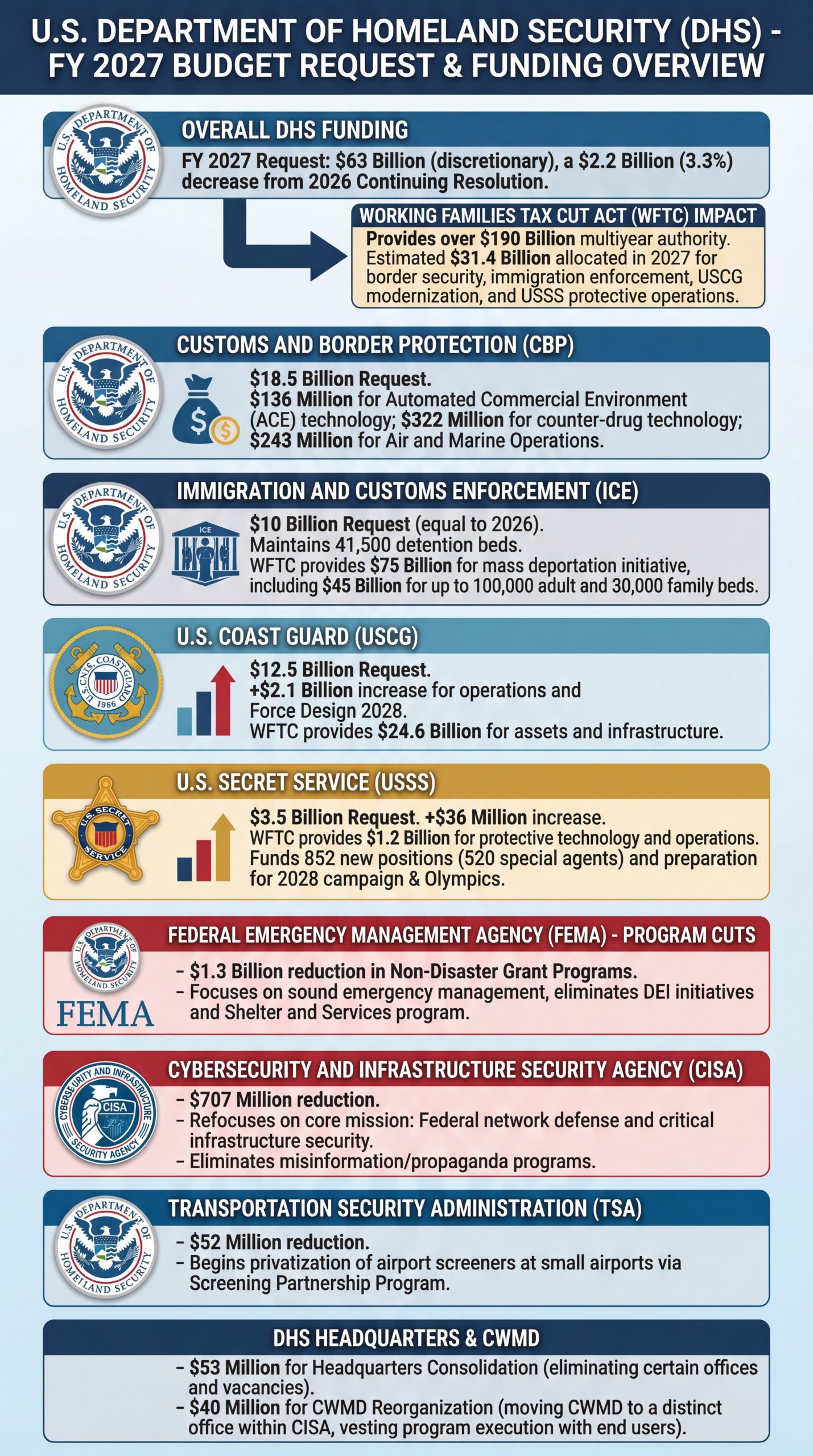
Let's visualize only the proposed budget for DHS and its component agencies:
Create a large illustrated explainer poster designed to be printed on a large-format poster printer and hung up on the wall that narrates the attached briefing as a single large poster that can be printed and hung on a wall that outlines all of the core details. It should cover all of its key details and be in portrait orientation. Focus only on the sections relating to funding for DHS and its component agencies.
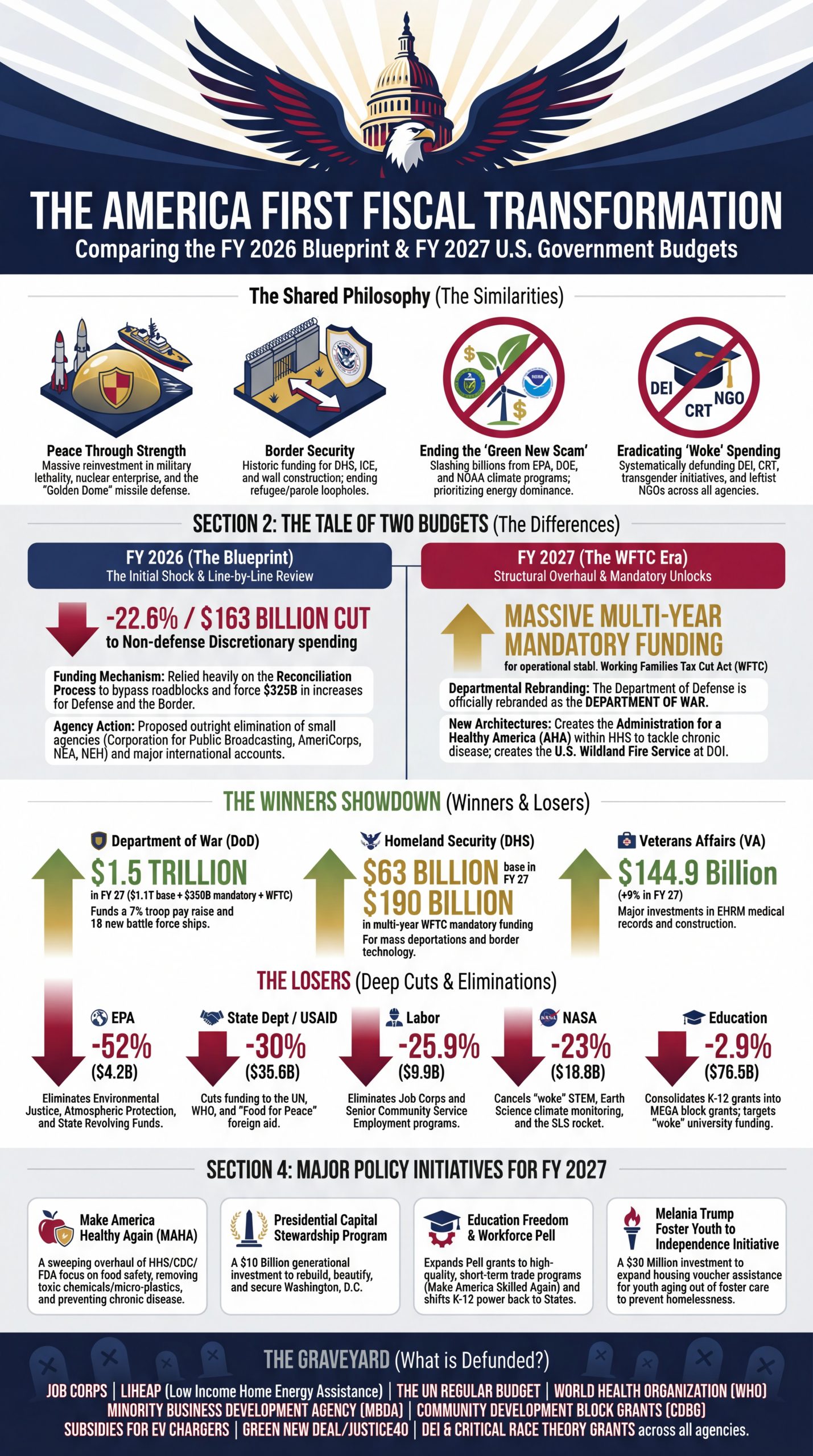
How about comparing to last year's? (We'll ask Gemini 3.1 Pro to perform the comparison and then visualize using Nano Banana Pro):
Create a large illustrated explainer poster designed to be printed on a large-format poster printer and hung up on the wall that narrates the attached briefing as a single large poster that can be printed and hung on a wall that outlines all of the core details. It should cover all of its key details and be in portrait orientation. The infographic should compare the similarities and differences in the two attached budgets.
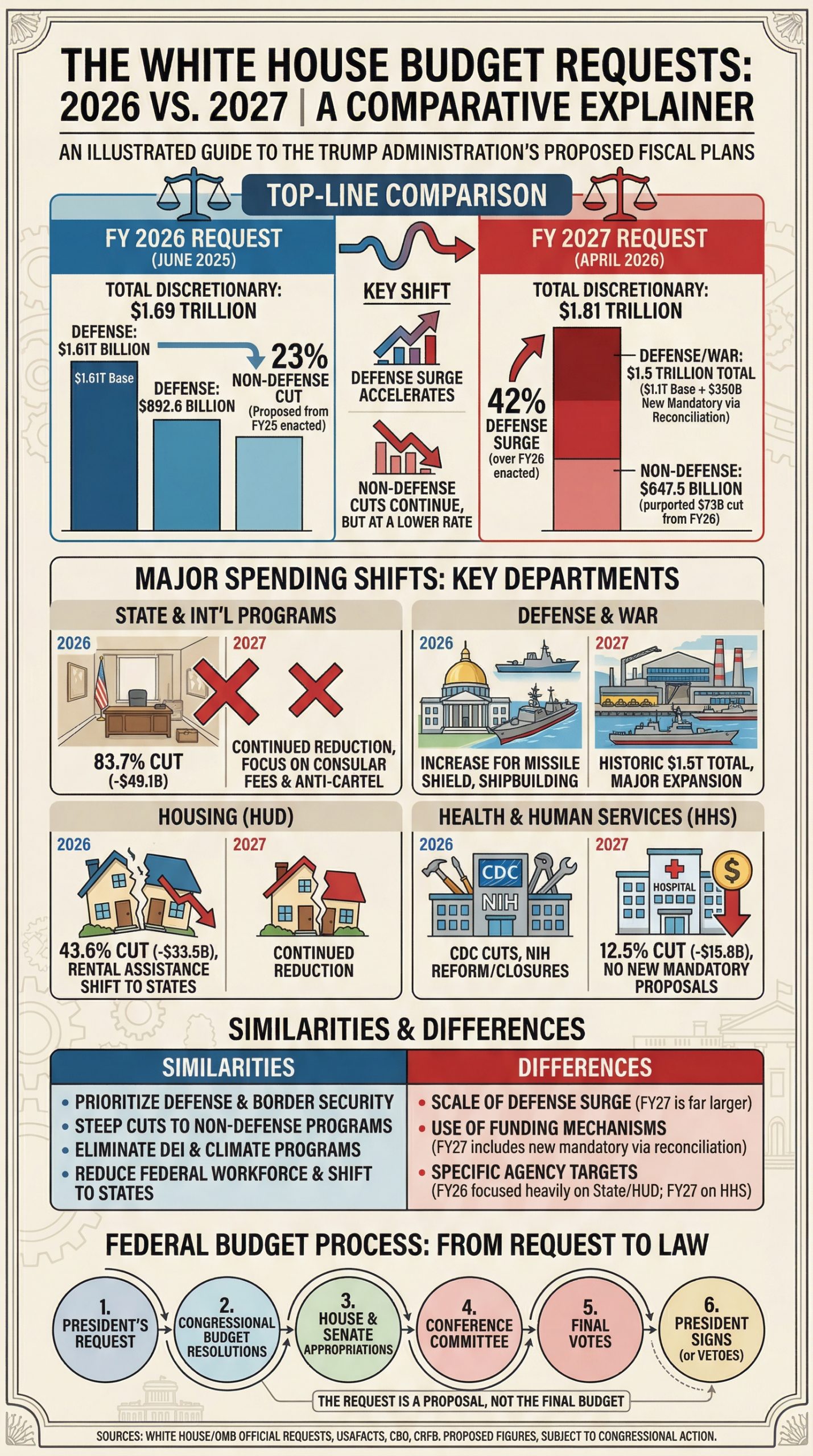
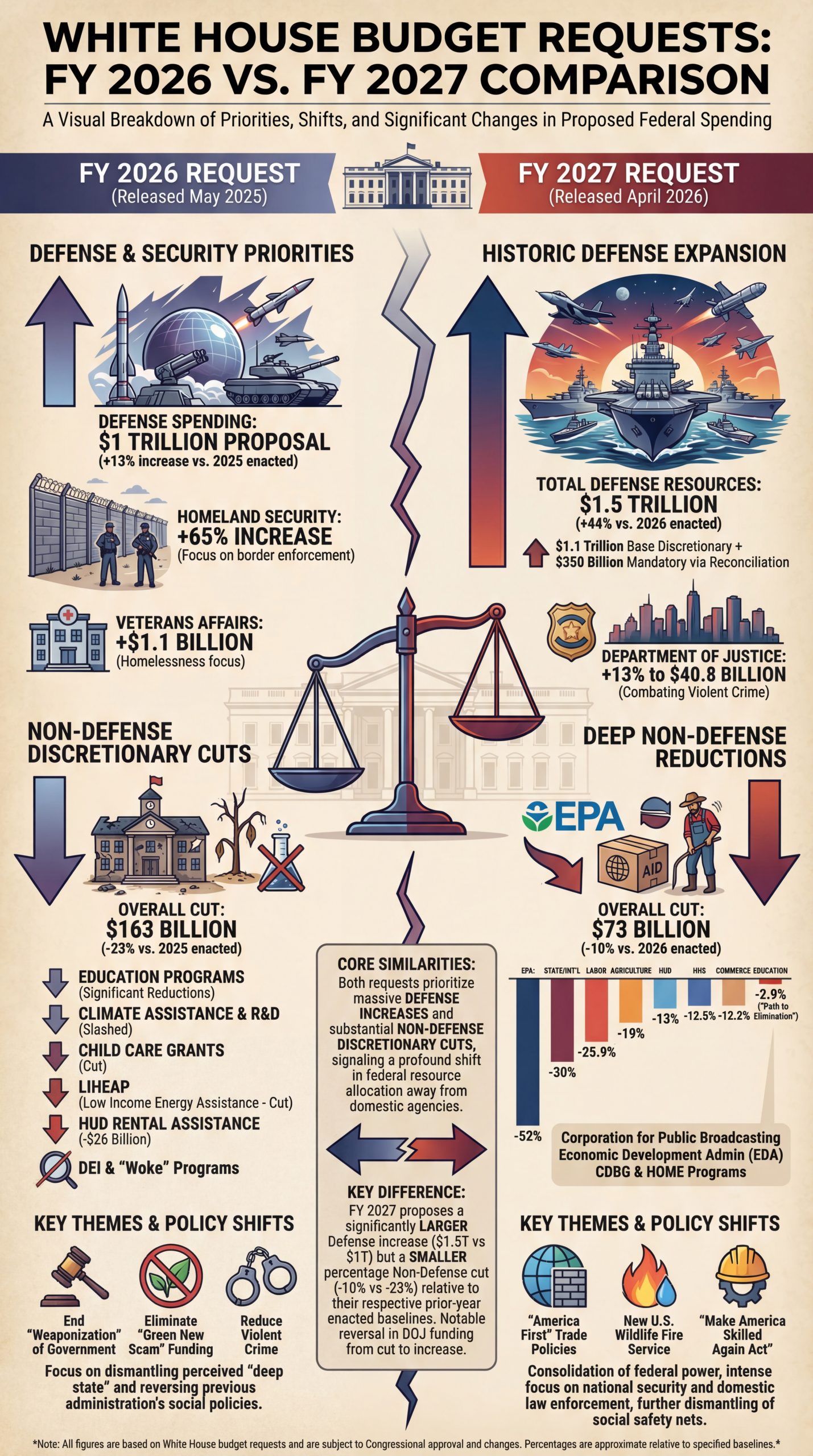
What about asking Nano Banana Pro to generate the comparison infographic *without* providing it either of the source PDFs and asking it instead to rely upon Google Search Grounding for its response?
Create a large illustrated explainer poster designed to be printed on a large-format poster printer and hung up on the wall that narrates comparison below as a single large poster that can be printed and hung on a wall that outlines all of the core details. It should cover all of its key details and be in portrait orientation. The infographic should compare the similarities and differences in the White House 2026 and 2027 Budget requests. Find the official requests and compare and contrast them in the infographic.
How about using Gemini 3.1 Pro and Google Search Grounding and then visualizing through Nano Banana Pro? (Again not providing it either PDF):
Create a prompt for a large illustrated explainer poster designed to be printed on a large-format poster printer and hung up on the wall that narrates comparison below as a single large poster that can be printed and hung on a wall that outlines all of the core details. It should cover all of its key details and be in portrait orientation. The infographic should compare the similarities and differences in the White House 2026 and 2027 Budget requests. Find the official requests and compare and contrast them in the infographic.
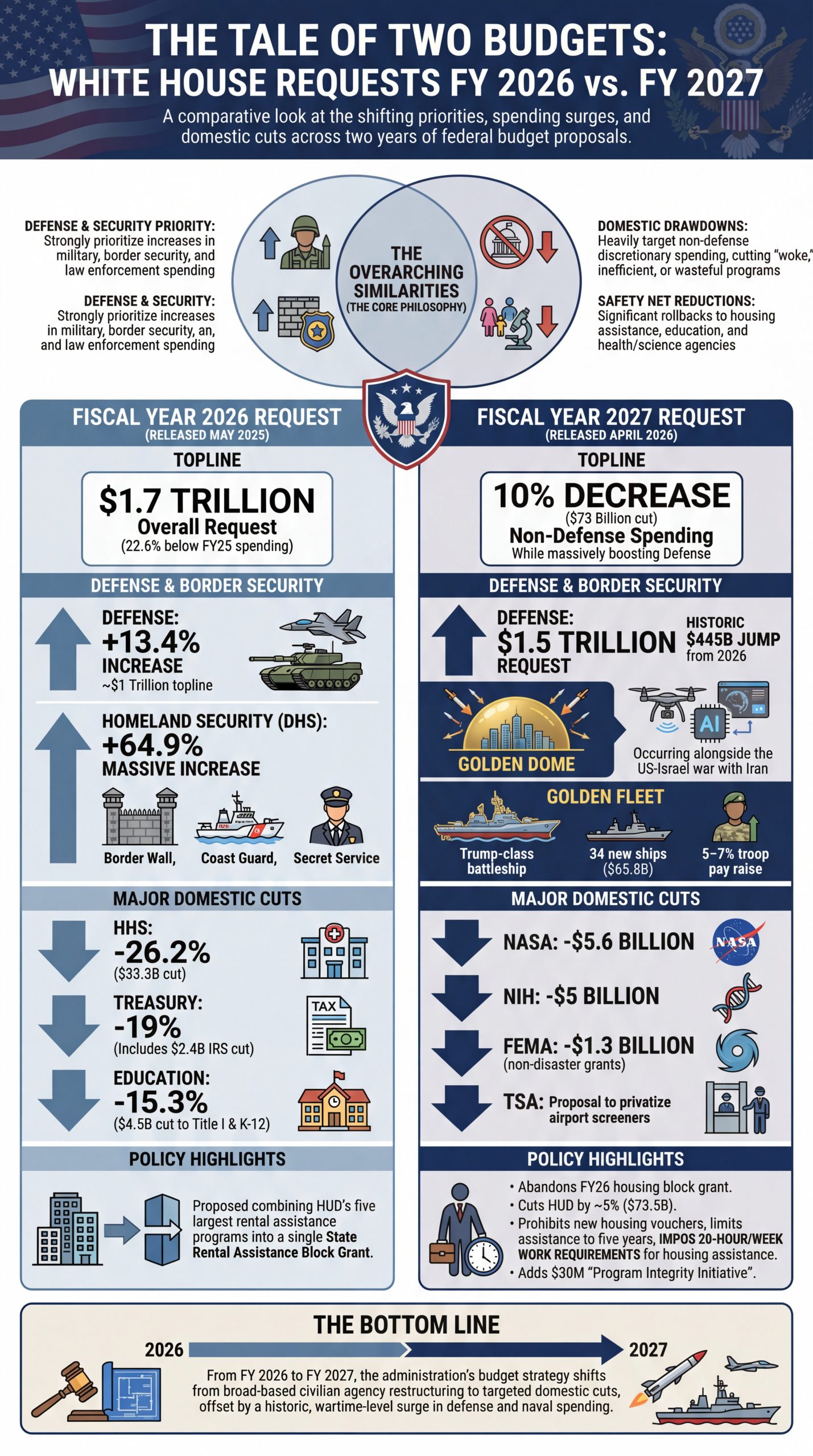
Create a large illustrated explainer poster designed to be printed on a large-format poster printer and hung up on the wall that narrates comparison below as a single large poster that can be printed and hung on a wall that outlines all of the core details. It should cover all of its key details and be in portrait orientation. The infographic should compare the similarities and differences in the White House 2026 and 2027 Budget requests. Find the official requests and compare and contrast them in the infographic.