
As people increasingly rely on AI agents to help them navigate and search the web, we continue to explore how we can best support human-directed agentic-assisted search for our own services. As we look towards standing up MCP and other endpoints to guide agents away from our human-centered websites in order to reduce the load on them, we've begun exploring the question of how we can best direct an agent to the tools that will best answer its human's question the most directly and quickly. This both improves the user's experience and reduces the load on our servers. One of the areas we see the greatest potential is intent-based routing, where we work with the user's agent to help guide it to the service that help it best answer the user's question. A user asking for a specific program on a specific channel requires just a simple inventory lookup, whereas a keyword search requires an expensive fulltext search and a deep trend question would be best answered by our Media Trends reports rather than a flurry of agentic keyword searches – how might we direct the agent to the best endpoint for each of these scenarios?
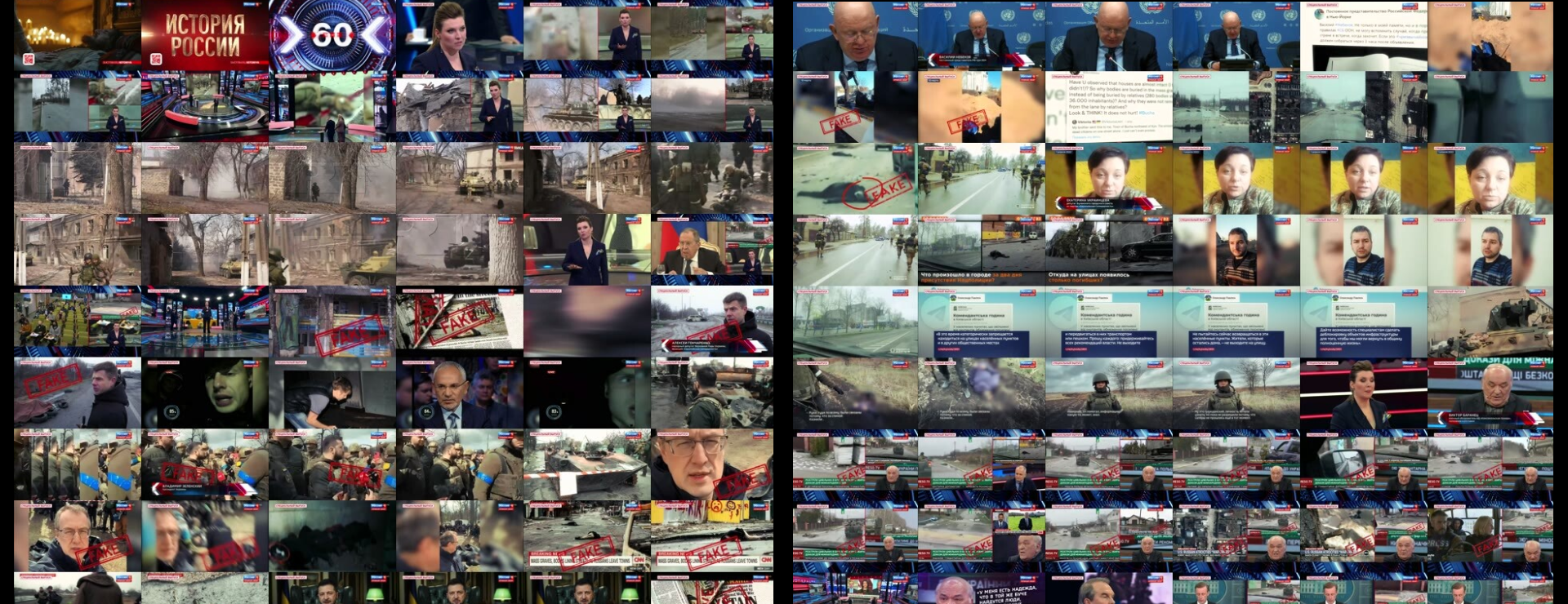
Let's start with a simple intent-based routing instruction for an agent whose user has asked them to find Olga's show on Russian media yesterday. The user can't remember the name of the show or Olga's full name or even the channel its on, but they saw a news article about a famous talk show on Russian television hosted by an "Olga" that covered some important topics yesterday. Note how we are leveraging the power of the Gemini agent here to take the user's vague query about a Russian show hosted by a person named Olga and letting the agent do the reasoning and research to determine that the user is most likely referring to Olga Skabeyeva's 60 Minutes show.
Think carefully about the user's intent and what they are trying to achieve and what you need to do to help them.
This system supports three tasks, which of the ones below would help you best answer the user's query?

------------------------------------------------
TASKS:
LOCATE: Find a specific show or shows.
SEARCH: Perform a keyword search.
TRENDS: Access to an archive of deep analysis reports by channel/day.
------------------------------------------------

------------------------------------------------
USER QUERY:
What did Olga say on her Russian show yesterday?
------------------------------------------------
Unfortunately, since Gemini doesn't know this involves television news, that we are using primarily ASR transcripts, or that presenter names don't commonly appear in such transcripts, it incorrectly chooses search:
SEARCH would be the most helpful task.
While LOCATE could find the specific episode of her show (e.g., Olga Skabeyeva's 60 Minutes on Russian state television), SEARCH would allow you to query the actual transcripts or closed captions to retrieve the specific statements, quotes, or topics she discussed during that broadcast by searching for her name.
This time, let's expand our instructions to help the agent better understand the collection:
This is an archive of television news from around the world, organized by broadcast/channel/start time.
Think carefully about the user's intent and what they are trying to achieve and what you need to do to help them.
This system supports three tasks, which of the ones below would help you best answer the user's query?

------------------------------------------------
TASKS:
LOCATE: Find a specific show or shows. If the user is asking about a particular show, what was said on a given show/channel, etc.
SEARCH_SPOKEN: Perform a keyword search of the ASR spoken transcript. Use this only if you can resolve the user's query to an explicit set of keywords that would match what people said. This searches the ASR spoken transcript of the broadcast. NOTE that host/guest names are not usually mentioned.
SEARCH_SCREENTEXT: Perform a keyword search of the OCR onscreen text transcript. Use this only if you can resolve the user's query to an explicit set of keywords that would match onscreen text. This searches the OCR'd onscreen text of the broadcast. NOTE that host names won't typically appear. Guest names usually appear during interviews, but not panel or talk shows and may only appear some of the time they are talking.
TRENDS: Access to an archive of deep analysis reports by channel/day.
------------------------------------------------

------------------------------------------------
USER QUERY:
What did Olga say on her Russian show yesterday?
------------------------------------------------
This time Gemini selects the correct option and even explains its choice:
LOCATE is the best task to answer this query.
Why LOCATE is the correct choice:
-
-
Direct match for the query type: The user is asking about content from a specific broadcast ("her Russian show yesterday", referring to Olga Skabeyeva's program, such as 60 Minutes on Russia-1). The definition for LOCATE explicitly states: "If the user is asking about a particular show, what was said on a given show/channel, etc."
-
Keyword searches will fail:
-
SEARCH_SPOKEN requires specific topical keywords of what was discussed. Furthermore, the instructions note that host names are rarely spoken during a broadcast, so searching the spoken transcript for "Olga" would not reliably identify the program.
-
SEARCH_SCREENTEXT is ruled out because host names typically do not appear in on-screen chyron/OCR text.
-
-
Metadata filtering: Because the archive is organized by broadcast, channel, and start time, LOCATE allows you to narrow down the Russian channel and the specific show from yesterday to review the broadcast and its transcript directly.
-
Now the agent returns to the endpoint for further instruction:
LOCATE
--------
To locate a specific show or shows:

If you know the Internet Archive Channel ID for the channel and the date, use this endpoint:
LOCATE: date=YYYYMMDD&channel=CHANNELID

If you know the date and country, use this endpoint:
LOCATE: date=YYYYMMDD&country=COUNTRY

If you only know the date, use this endpoint:
LOCATE: date=YYYYMMDD
Gemini correctly requests yesterday and Russia:
LOCATE: date=20261001&country=RUSSIA
Now the endpoint returns to the agent a complete list of all of the shows from Russian channels available for yesterday. (List below truncated for space):
Below is a list of all shows available for yesterday from Russia. Select the show or shows that best answer the user's query:

{"start":"2026-10-01T21:00:00+03:00","end":"2026-10-01T22:01:00+03:00","channel":"1TV","country":"Russia","show":"Время"}
{"start":"2026-10-01T19:50:00+03:00","end":"2026-10-01T20:59:00+03:00","channel":"1TV","country":"Russia","show":"Пусть говорят"}
{"start":"2026-10-01T18:30:00+03:00","end":"2026-10-01T19:51:00+03:00","channel":"1TV","country":"Russia","show":"Время покажет"}
{"start":"2026-10-01T18:00:00+03:00","end":"2026-10-01T18:28:00+03:00","channel":"1TV","country":"Russia","show":"Вечерние новости"}
{"start":"2026-10-01T17:00:00+03:00","end":"2026-10-01T17:59:00+03:00","channel":"1TV","country":"Russia","show":"Большая игра"}
{"start":"2026-10-01T16:05:00+03:00","end":"2026-10-01T17:00:00+03:00","channel":"1TV","country":"Russia","show":"Мужское/Женское"}
{"start":"2026-10-01T15:15:00+03:00","end":"2026-10-01T16:05:00+03:00","channel":"1TV","country":"Russia","show":"Давай поженимся!"}
...
{"start":"2026-10-01T17:00:00+03:00","end":"2026-10-01T17:31:00+03:00","channel":"NTV","country":"Russia","show":"Untitled"}
{"start":"2026-10-01T16:30:00+03:00","end":"2026-10-01T17:01:00+03:00","channel":"NTV","country":"Russia","show":"Untitled"}
{"start":"2026-10-01T16:00:00+03:00","end":"2026-10-01T16:31:00+03:00","channel":"NTV","country":"Russia","show":"Untitled"}
{"start":"2026-10-01T15:30:00+03:00","end":"2026-10-01T16:01:00+03:00","channel":"NTV","country":"Russia","show":"Untitled"}
...
{"start":"2026-10-01T23:40:00+03:00","end":"2026-10-02T02:16:00+03:00","channel":"Russia-1","country":"Russia","show":"Вечер с Владимиром Соловьевым"}
{"start":"2026-10-01T21:10:00+03:00","end":"2026-10-01T21:31:00+03:00","channel":"Russia-1","country":"Russia","show":"Вести. Местное время"}
{"start":"2026-10-01T20:00:00+03:00","end":"2026-10-01T21:10:00+03:00","channel":"Russia-1","country":"Russia","show":"Вести в 20:00"}
{"start":"2026-10-01T18:00:00+03:00","end":"2026-10-01T20:01:00+03:00","channel":"Russia-1","country":"Russia","show":"60 минут"}
{"start":"2026-10-01T17:00:00+03:00","end":"2026-10-01T18:00:00+03:00","channel":"Russia-1","country":"Russia","show":"Малахов"}
{"start":"2026-10-01T16:30:00+03:00","end":"2026-10-01T16:59:00+03:00","channel":"Russia-1","country":"Russia","show":"Вести"}
{"start":"2026-10-01T14:00:00+03:00","end":"2026-10-01T14:31:00+03:00","channel":"Russia-1","country":"Russia","show":"Вести"}
{"start":"2026-10-01T12:00:00+03:00","end":"2026-10-01T14:01:00+03:00","channel":"Russia-1","country":"Russia","show":"60 минут"}
{"start":"2026-10-01T11:30:00+03:00","end":"2026-10-01T12:00:00+03:00","channel":"Russia-1","country":"Russia","show":"Вести. Местное время"}
{"start":"2026-10-01T11:00:00+03:00","end":"2026-10-01T11:31:00+03:00","channel":"Russia-1","country":"Russia","show":"Вести"}
{"start":"2026-10-01T09:55:00+03:00","end":"2026-10-01T11:01:00+03:00","channel":"Russia-1","country":"Russia","show":"О самом главном"}
{"start":"2026-10-01T09:30:00+03:00","end":"2026-10-01T09:56:00+03:00","channel":"Russia-1","country":"Russia","show":"Местное время"}
{"start":"2026-10-01T09:00:00+03:00","end":"2026-10-01T09:31:00+03:00","channel":"Russia-1","country":"Russia","show":"Вести"}
{"start":"2026-10-01T05:00:00+03:00","end":"2026-10-01T09:01:00+03:00","channel":"Russia-1","country":"Russia","show":"Утро России"}
{"start":"2026-10-01T03:00:00+03:00","end":"2026-10-01T03:30:00+03:00","channel":"Russia-1","country":"Russia","show":"Вести"}
{"start":"2026-10-01T02:15:00+03:00","end":"2026-10-01T03:01:00+03:00","channel":"Russia-1","country":"Russia","show":"Тайны следствия"}
{"start":"2026-09-30T23:40:00+03:00","end":"2026-10-01T02:07:00+03:00","channel":"Russia-1","country":"Russia","show":"Вечер с Владимиром Соловьевым"}
{"start":"2026-10-01T23:00:00+03:00","end":"2026-10-02T00:01:00+03:00","channel":"Russia-24","country":"Russia","show":"Вести с Марией Петрашко"}
{"start":"2026-10-01T22:35:00+03:00","end":"2026-10-01T23:00:00+03:00","channel":"Russia-24","country":"Russia","show":"Вести с Казаковым"}
{"start":"2026-10-01T22:23:00+03:00","end":"2026-10-01T22:36:00+03:00","channel":"Russia-24","country":"Russia","show":"Погода 24"}
{"start":"2026-10-01T22:00:00+03:00","end":"2026-10-01T22:24:00+03:00","channel":"Russia-24","country":"Russia","show":"Вести"}
{"start":"2026-10-01T21:32:00+03:00","end":"2026-10-01T22:01:00+03:00","channel":"Russia-24","country":"Russia","show":"Дежурная часть"}
{"start":"2026-10-01T20:02:00+03:00","end":"2026-10-01T21:33:00+03:00","channel":"Russia-24","country":"Russia","show":"Факты"}
...
The agent reads through the full list above and returns these two shows as the best match:
{"start":"2026-10-01T12:00:00+03:00","end":"2026-10-01T14:01:00+03:00","channel":"Russia-1","country":"Russia","show":"60 минут"}
{"start":"2026-10-01T18:00:00+03:00","end":"2026-10-01T20:01:00+03:00","channel":"Russia-1","country":"Russia","show":"60 минут"}
Gemini also helpfully returns this message to show the user about why it selected these two entries:
Based on your query asking about "Olga" and her "Russian show," you are likely referring to Olga Skabeyeva, who hosts the political talk show "60 минут" (60 Minutes) on the channel Russia-1.
What if instead the user is asking about a specific broad topic: what Russian media said about Ukraine overall?
This is an archive of television news from around the world, organized by broadcast/channel/start time.
Think carefully about the user's intent and what they are trying to achieve and what you need to do to help them.
This system supports three tasks, which of the ones below would help you best answer the user's query?

------------------------------------------------
TASKS:
LOCATE: Find a specific show or shows. If the user is asking about a particular show, what was said on a given show/channel, etc.
SEARCH_SPOKEN: Perform a keyword search of the ASR spoken transcript. Use this only if you can resolve the user's query to an explicit set of keywords that would match what people said. This searches the ASR spoken transcript of the broadcast. NOTE that host/guest names are not usually mentioned.
SEARCH_SCREENTEXT: Perform a keyword search of the OCR onscreen text transcript. Use this only if you can resolve the user's query to an explicit set of keywords that would match onscreen text. This searches the OCR'd onscreen text of the broadcast. NOTE that host names won't typically appear. Guest names usually appear during interviews, but not panel or talk shows and may only appear some of the time they are talking.
TRENDS: Access to an archive of deep analysis reports by channel/day.
------------------------------------------------

------------------------------------------------
USER QUERY:
What did Russian media say about Ukraine yesterday?
------------------------------------------------
Here, Gemini correctly recognizes that "Ukraine" spans a huge range of related topics and keywords and would be hard to manage as a simple keyword search, so suggests that the Media Trends reports would be the best fit:
Based on the user's query and the descriptions of the tasks provided, TRENDS is the best choice.
Here is the reasoning:
-
-
The user's intent: The user is asking for a broad summary or synthesis of narratives ("what did they say") across an entire media ecosystem ("Russian media") for a specific timeframe ("yesterday").
-
Why TRENDS fits: The TRENDS task provides access to "deep analysis reports by channel/day," which perfectly aligns with needing an overview or analytical breakdown of daily coverage themes across Russian channels.
-
Why the others don't fit:
-
SEARCH_SPOKEN and SEARCH_SCREENTEXT are specifically restricted to cases where you have "an explicit set of keywords" rather than a request for a broad narrative summary. Searching just the word "Ukraine" would likely return thousands of raw, disjointed hits rather than answering what was actually being said overall.
-
LOCATE is meant for finding a specific show or checking what was said on a single given show/channel, rather than analyzing an entire country's media ecosystem.
-
-
How about a search for a specific term?
This is an archive of television news from around the world, organized by broadcast/channel/start time.
Think carefully about the user's intent and what they are trying to achieve and what you need to do to help them.
This system supports three tasks, which of the ones below would help you best answer the user's query?

------------------------------------------------
TASKS:
LOCATE: Find a specific show or shows. If the user is asking about a particular show, what was said on a given show/channel, etc.
SEARCH_SPOKEN: Perform a keyword search of the ASR spoken transcript. Use this only if you can resolve the user's query to an explicit set of keywords that would match what people said. This searches the ASR spoken transcript of the broadcast. NOTE that host/guest names are not usually mentioned.
SEARCH_SCREENTEXT: Perform a keyword search of the OCR onscreen text transcript. Use this only if you can resolve the user's query to an explicit set of keywords that would match onscreen text. This searches the OCR'd onscreen text of the broadcast. NOTE that host names won't typically appear. Guest names usually appear during interviews, but not panel or talk shows and may only appear some of the time they are talking.
TRENDS: Access to an archive of deep analysis reports by channel/day.
------------------------------------------------

------------------------------------------------
USER QUERY:
What did Russian media say about Zelensky yesterday?
------------------------------------------------
Once again, Gemini picks the correct task, recognizing that this is best suited to a keyword search of the spoken word transcripts:
The best task to answer this query is SEARCH_SPOKEN.
Here is why:
-
-
Explicit Keywords: The query contains a clear, specific entity ("Zelensky" or its Russian translation "Зеленский") that can be used as a keyword.
-
Focus on Speech: The user is explicitly asking what was "said," which perfectly aligns with searching the ASR (Automatic Speech Recognition) spoken transcript of Russian media broadcasts from yesterday.
-
Process of Elimination: The user is not looking for a specific show (ruling out
LOCATE), is not asking about chyrons or on-screen text (ruling outSEARCH_SCREENTEXT), and is looking for specific commentary rather than a broad, pre-generated daily channel analysis (ruling outTRENDS).
-
Now the endpoint responds with further instructions:
SEARCH_SPOKEN
--------

Think carefully about what term or terms would best return the majority of results relevant to the user's query without returning too many unrelated false positives.
All coverage is translated to English, so all your keywords should be in English.
Simple Boolean search with AND and OR and single-level parentheses is supported.
Phrases may be up to a maximum of 5 words long.
All terms are case-insensitive.
Search is EXACT MATCH, so you must provide multiple terms for plural, conjugations, etc. IE, "(migrant OR migrants OR migration OR migrated)" or "(AI OR "artificial intelligence" OR "A.I.")"
Try to use as few search terms as possible and focus on the most significant terms/phrases to generate the best search results.
Use this endpoint:
SEARCH_SPOKEN: query=BOOLEAN_QUERY
To which Gemini responds with the following boolean:
SEARCH_SPOKEN: query=(Zelensky OR Zelenskyy OR Zelenskiy OR Zelenski OR Zelensky's OR Zelenskyy's)